
To change or cancel your Orcelis plan, open «Elige tu plan» (Choose your plan), either from your plan card in the sidebar or from Configuración › Mi plan (Settings › My plan). Upgrading your plan or size takes effect immediately with «Actualizar» (Upgrade); downgrading is scheduled with «Programar bajada» (Schedule downgrade) and takes effect at the next renewal; and «Cancelar suscripción» (Cancel subscription) keeps all your access until the end of the paid period and then moves your account to the free plan (Gratis), without losing your data. Until that date you can click «Deshacer» (Undo).
Orcelis’s screens are in Spanish; button and menu names are shown as they appear in the app.
Before you start: upgrade, downgrade or cancel
Almost every software subscription has three kinds of change, and it helps to know which one you need before you touch anything:
| Change | When it applies in Orcelis | What happens with billing |
|---|---|---|
| Upgrade your plan or size | Immediately | A one-off charge for the difference over the remaining period |
| Downgrade your plan or size, or switch to monthly billing | At the next renewal | No refund for the current period; from the renewal you pay for the new plan |
| Cancel | At the end of the period already paid | The next renewal is not charged; you move to Gratis (Free) |
Everything is done from within the Orcelis app itself, without having to write to anyone, and any change that applies later can be undone before its date.
Where you manage your plan
Your plan is managed on the Elige tu plan screen. You can get there in two ways:
- By clicking your plan card at the bottom of the sidebar, where you see your plan and the hectares you are using.
- From Configuración › Mi plan.
If you have a paid plan, Tu suscripción (Your subscription) appears at the top with the licence, the size, the billing period (monthly or annual), the add-on modules and the renewal date. From there you can cancel, undo a change and change your card.
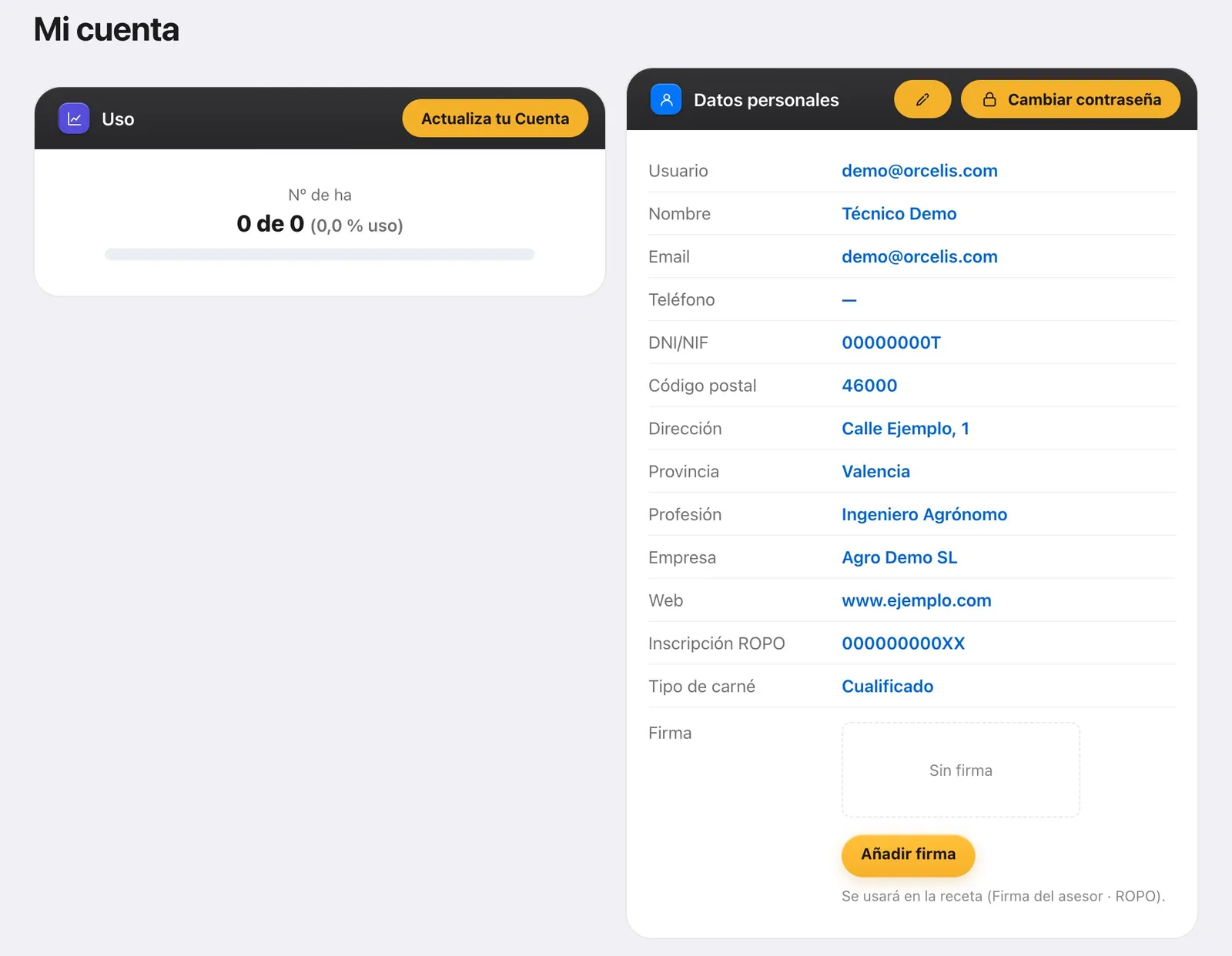
In Mi cuenta (My account, under Configuración › Cuenta) you have the Uso (Usage) box showing the hectares in use against those in your plan, and the red «Cancelar mi suscripción» (Cancel my subscription) button, which takes you to Elige tu plan with the cancellation already open.
Step by step
- Open Elige tu plan. Click your plan card at the bottom of the sidebar or go to Configuración › Mi plan. At the top you will see Tu suscripción, with your plan, the billing period and the renewal date.
- Upgrade your plan or size. Change the option on your plan’s card and click «Actualizar». Review what is left of the period and the one-off charge for the difference, type your full name and click «Confirmar actualización» (confirm upgrade).
- Or schedule a downgrade. Click «Programar bajada» on the plan card. The downgrade takes effect at the next renewal, with no refund for the current period. Tick the box, type your full name and confirm.
- Or cancel the subscription. In Tu suscripción click «Cancelar suscripción», or in Mi cuenta the red «Cancelar mi suscripción» button, which opens the cancellation directly. Read «Cómo funciona» (how it works), tick to confirm you understand, type your full name and click «Confirmar cancelación» (confirm cancellation).
- Check the scheduled change. Tu suscripción shows Programado (Scheduled) with the date on which it will apply. Until that day you can click «Deshacer» and everything stays as it was.
- Change your card if you need to. If you only want to change your payment method, click «Cambiar tarjeta o cuenta de cobro» (change card or billing account) in Tu suscripción.
What happens when you cancel
Cancelling in Orcelis does not cut off the service abruptly. When you confirm it:
- You keep your current plan and all your access until the end of the period already paid. The confirmation window shows you that date.
- On that date your account moves to Gratis (Free) and the next renewal is not charged.
- Your data and your official logbook remain yours. The free plan keeps the logbook and your records for ever.
- Anything beyond the free plan’s limits (for example, more farms or hectares than it allows) becomes read-only; it is not deleted.
- Until the date of the change you can click «Deshacer».
The same applies to a downgrade: the change takes effect at renewal, until then you keep what you have already paid for, and anything beyond the new plan’s limits becomes read-only.
Common issues
- I can’t see the «Cancelar suscripción» button: you are on the trial period or on the free plan, so there is no paid subscription to cancel.
- I’ve gone over my plan’s hectares: the Uso bar fills up. Upgrade your size or plan in Elige tu plan.
- I want to change my invoice details: edit them in Mi cuenta › Datos de facturación (billing details); they are used on your next invoices.
Frequently asked questions
Do I lose my data if I cancel?
No. Your data and your official logbook remain yours. When you move to the free plan, anything beyond its limits becomes read-only and you can reactivate it when you subscribe again.
Do I get a refund if I cancel mid-period?
There is no refund for the current period, but you don’t lose it either: you keep your plan and all your access until the end of the period already paid. From that date the renewal is not charged.
Can I cancel during the trial period?
During the trial period you have no paid subscription to cancel. When the trial ends you move to the free plan automatically and without being charged.
Can I change my mind after cancelling?
Yes, as long as the change has not yet taken effect. In Tu suscripción, click «Deshacer» next to the Programado change and your subscription will keep renewing as normal.